Command Cheat Sheet
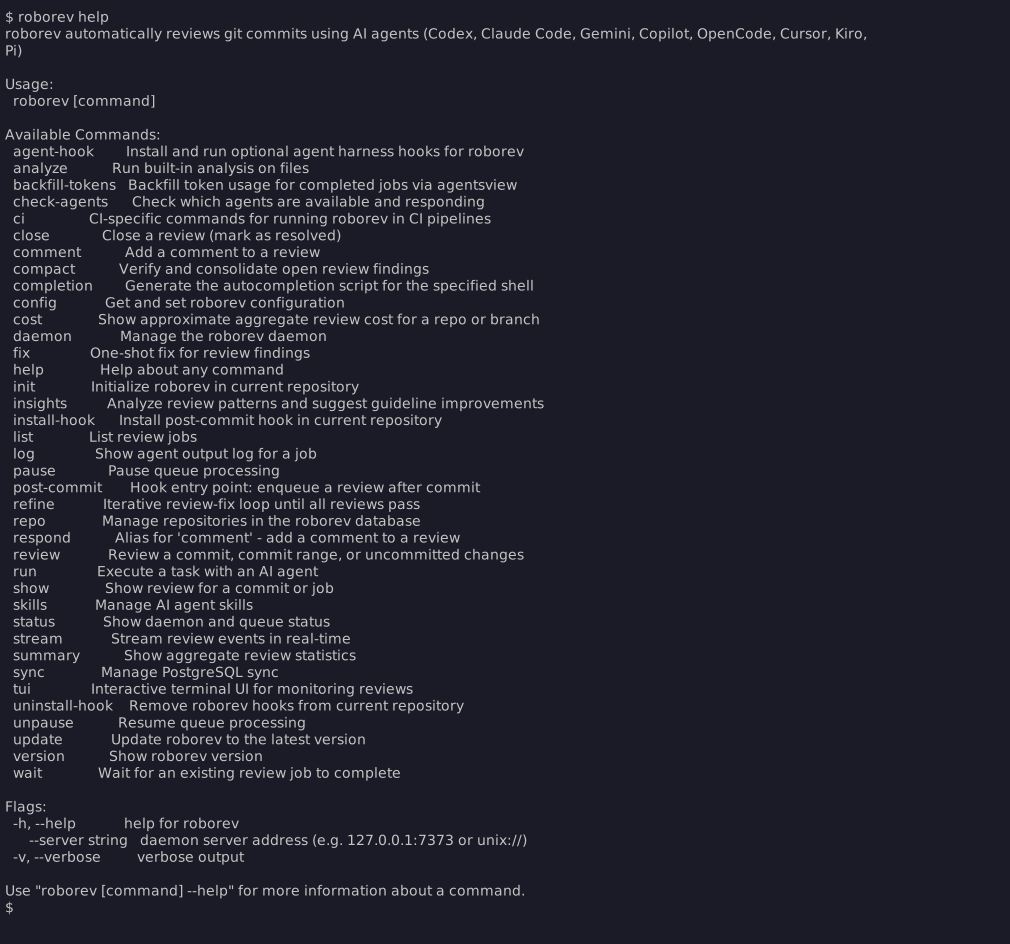
Essentials
roborev init [--agent <name>]    # Initialize repo + daemon + hook
                                 # --no-daemon: skip auto-starting daemon
roborev fix                      # Fix open reviews
roborev status                   # Check daemon and queue
roborev pause                    # Pause queue processing
roborev unpause                  # Resume queue processing
roborev summary                  # Aggregate review statistics
roborev cost                     # Approximate aggregate review cost
roborev insights                 # Analyze review patterns
roborev tui                      # Interactive terminal UI
                                 # --repo: pre-filter to repo
                                 # --branch: pre-filter to branch
                                 # --no-quit: suppress keyboard quit
                                 # --control-socket: custom socket path
roborev version                  # Show version
Reviewing Code
# Single commits
roborev review                   # Review HEAD
roborev review <sha>             # Review specific commit

# Commit ranges
roborev review <start> <end>     # Review range (inclusive)
roborev review --since <commit>  # Review since commit (exclusive)
roborev review --since HEAD~5    # Review last 5 commits

# Branch reviews
roborev review --branch          # All commits since diverged from main
roborev review --branch=feature-xyz     # Review a specific branch
roborev review --branch --base develop  # Against specific base

# Uncommitted changes
roborev review --dirty           # Review working tree

# Review types
roborev review --type security   # Security-focused review
roborev review --type design     # Design-focused review

# Review panels
roborev review --branch --panel branch_final  # Run a named review panel
roborev review --branch --panel none          # Force single-agent review
| Flag | Description |
|---|---|
--wait |
Block until review completes (intended for CI, scripting, and orchestrators; not recommended in interactive agent sessions) |
--quiet |
Only show progress/elapsed time |
--branch [name] |
Review all commits on branch since base (optionally specify branch name) |
--base <branch> |
Base branch for --branch comparison (default: auto-detect) |
--agent <name> |
Use a specific agent for review: a built-in (codex, claude-code, gemini, copilot, opencode, cursor, kiro, kilo, droid, pi) or a configured ACP agent |
-m, --model <model> |
Model to use (format varies by agent) |
--type <type> |
Review type (security, design); changes system prompt |
--reasoning <level> |
Set reasoning depth (maximum/thorough/standard/fast) |
--fast |
Shorthand for --reasoning fast |
--min-severity <level> |
Only report findings at or above this severity (low/medium/high/critical) |
--panel <name or none> |
Run a named review panel. Use none to bypass configured defaults |
--local |
Run review locally without the daemon (streams output to console) |
--repo <path> |
Specify repository path |
See: Reviewing Code
Waiting for Reviews
roborev wait                     # Wait for most recent job for HEAD
roborev wait abc123              # Wait for most recent job for commit
roborev wait 42                  # Job ID (if "42" is not a valid git ref)
roborev wait 42 43 44            # Wait for multiple jobs
roborev wait --job 42            # Force as job ID
roborev wait --sha HEAD~1        # Wait for job matching HEAD~1
roborev wait --quiet             # Suppress output (for hooks/agents)
| Flag | Description |
|---|---|
--sha <ref> |
Git ref to find the most recent job for |
--job |
Force argument to be treated as job ID |
-q, --quiet |
Suppress output (exit code only) |
Unlike roborev review --wait, this does not enqueue a new review. It waits for an already-running job, making it useful when a post-commit hook has already triggered the review. For most interactive workflows, use roborev tui to browse completed reviews instead of blocking.
See: Reviewing Code
Viewing Reviews
roborev show                     # Show review for HEAD
roborev show <sha>               # Show review for commit
roborev show <job_id>            # Show review by job ID
roborev show --job <id>          # Force interpretation as job ID
roborev show --prompt <job_id>   # Show the prompt sent to the agent
roborev list                     # List jobs for current repo/branch
roborev list --open              # List only open reviews
roborev list --closed            # List only closed reviews
roborev tui                      # Interactive browser
roborev tui --repo --branch      # Pre-filtered to current repo+branch
roborev log <job_id>             # View job log
| Flag | Description |
|---|---|
--job |
Force interpretation as job ID |
--prompt |
Show the prompt sent to the agent instead of the review output |
--json |
Output as JSON for machine-readable workflows |
roborev show displays review comments after the review output when comments exist, matching the layout in the TUI review detail view.
For panel parent reviews, roborev show also displays a one-line reviewer summary. roborev show --json includes an additive panel object with the run UUID, panel name, synthesis job ID, and member reviewer statuses.
See: Terminal UI
Tip
Press l in the TUI to open the log viewer for any job (running or completed).
Job Logs
roborev log <job-id>             # Human-friendly rendered output
roborev log --raw <job-id>       # Raw NDJSON bytes
roborev log --path <job-id>      # Print the log file path

roborev log clean                # Remove logs older than 7 days
roborev log clean --days 3       # Remove logs older than 3 days
| Flag | Description |
|---|---|
--raw |
Print raw NDJSON without formatting |
--path |
Print the log file path instead of contents |
Job logs are persisted to ~/.roborev/logs/jobs/ so agent output remains available after daemon restarts. By default, roborev log renders NDJSON into compact, human-readable progress lines showing tool calls and agent text. Use --raw for the original NDJSON when scripting or debugging.
The clean subcommand removes log files older than the specified number of days (default: 7).
Commenting on Reviews
roborev comment <job_id> "message"   # Add comment with message
roborev comment <job_id>             # Opens editor
roborev close <job_id>               # Mark as closed
roborev close <job_id> --reopen      # Reopen a closed review
| Flag | Description |
|---|---|
--message, -m |
Comment message (inline) |
--commenter |
Name of commenter |
--job |
Force interpretation as job ID |
Note
roborev address is still accepted as an alias for roborev close.
Auto-Fix Agentic Loop
roborev refine                   # Fix failed reviews on branch
roborev refine --max-iterations 5
roborev refine --since HEAD~3    # Refine specific range
roborev refine --quiet           # Show elapsed time only
roborev refine --list            # Preview what would be refined
roborev refine --all-branches    # Refine all branches with failures
roborev refine --branch feature  # Validate branch before refining
roborev refine --min-severity high  # Only fix high and critical findings
| Flag | Description |
|---|---|
--agent <name> |
Use specific agent |
-m, --model <model> |
Model to use (format varies by agent) |
--reasoning <level> |
Set reasoning depth |
--fast |
Shorthand for --reasoning fast |
--max-iterations <n> |
Limit fix attempts (default: 10) |
--since <commit> |
Refine commits since specific commit |
--branch <name> |
Validate current branch before refining |
--all-branches |
Discover and refine all branches with failed reviews (implies --open) |
--list |
List failed reviews that would be refined without running |
--newest-first |
Process newest first (requires --all-branches or --list) |
--quiet |
Only show progress/elapsed time |
--allow-unsafe-agents |
Allow agents without sandboxing |
--min-severity <level> |
Only fix findings at or above this severity (low/medium/high/critical) |
See: Auto-Fix Agentic Loop with Refine
Fixing Reviews
roborev fix                        # Fix all open reviews on this branch
roborev fix 123                    # Fix a specific review by job ID
roborev fix 42 43 44               # Fix multiple reviews sequentially
roborev fix --batch                # Batch all open into one agent prompt
roborev fix --batch 42 43 44       # Batch specific jobs into one prompt
roborev fix --batch-size 5         # Pack up to 5 reviews per agent invocation
roborev fix --resume               # Reuse agent session across calls
roborev fix --branch main          # Fix all open on a specific branch
roborev fix --all-branches         # Fix all open across all branches
roborev fix --list                 # List open reviews without fixing
roborev fix --min-severity medium  # Skip low-severity findings
| Flag | Description |
|---|---|
--agent <name> |
Use specific agent |
-m, --model <model> |
Model to use |
--reasoning <level> |
Set reasoning depth |
--quiet |
Suppress agent output |
--branch <name> |
Filter by branch (default: current branch) |
--all-branches |
Include open jobs from all branches |
--batch |
Concatenate multiple reviews into a single agent prompt instead of fixing one at a time |
--batch-size <n> |
Pack up to N reviews into each agent invocation, bounded by max_prompt_size. Multiple invocations are issued when more than N reviews are open. Mutually exclusive with --batch and --list. |
--resume |
Reuse the agent's session ID across calls within a single fix run so chained fixes build on prior context |
--list |
List open reviews with details (job ID, ref, branch, agent, verdict) without running any fixes |
--newest-first |
Process jobs newest first instead of oldest first |
--min-severity <level> |
Only fix findings at or above this severity (low/medium/high/critical) |
See: Assisted Refactoring
Consolidating Reviews
roborev compact                              # Enqueue consolidation (background)
roborev compact --wait                       # Wait for completion
roborev compact --branch main                # Compact jobs on main branch
roborev compact --all-branches               # Compact jobs across all branches
roborev compact --dry-run                    # Show what would be done
roborev compact --limit 10                   # Process at most 10 jobs
roborev compact --agent claude-code          # Use specific agent for verification
roborev compact --reasoning thorough         # Use thorough reasoning level
| Flag | Description |
|---|---|
--wait |
Block until consolidation completes |
--branch <name> |
Filter by branch (default: current branch) |
--all-branches |
Compact jobs across all branches |
--dry-run |
Preview what would be done without running |
--limit <n> |
Maximum number of jobs to process (default: 20) |
--agent <name> |
Agent for verification |
-m, --model <model> |
Model to use |
--reasoning <level> |
Set reasoning depth (thorough/standard/fast) |
--timeout <duration> |
Timeout for --wait mode (default: 10m) |
--quiet |
Suppress progress output |
Compact discovers open completed reviews, sends them to an agent for verification against the current codebase, and consolidates related findings into a single review job. Original jobs are automatically closed when consolidation finishes. This adds a quality layer between review and fix to reduce false positives.
If the verification reports that findings remain, compact requires each one to be repeated with actionable detail (severity, file/line, description). Outputs that mention remaining findings only as counts or summaries are rejected and the job fails, rather than producing a review that cannot be acted on. A clean verification with no remaining findings is still recorded as a review.
Note
Avoid running multiple compact commands concurrently on the same branch. The operation is not atomic and concurrent runs can produce inconsistent state.
Review Statistics
roborev summary                     # Last 7 days, current repo
roborev summary --all               # Last 7 days, all repos
roborev summary --since 30d         # Last 30 days
roborev summary --branch main       # Filter by branch
roborev summary --repo /path/to/repo
roborev summary --json              # Structured output for scripting
| Flag | Description |
|---|---|
--since <duration> |
Time window (e.g. 24h, 7d, 30d; default: 7d) |
--branch <name> |
Scope to a single branch |
--repo <path> |
Scope to a single repo (default: current repo) |
--all |
Show summary across all repos (mutually exclusive with --repo) |
--json |
Structured output for scripting |
The summary includes:
- Overview: Job counts by status (done, failed, canceled, queued, running)
- Verdicts: Pass/fail counts, pass rate, and resolution rate for addressed failures
- Agent breakdown: Per-agent job counts, pass rate, and median review duration
- Duration: Review and queue time percentiles (p50, p90, p99)
- Job types: Counts by job type (review, fix, task, etc.)
- Repos (with
--all): Per-repo breakdown with pass/fail/addressed counts - Failures: Total failures, retries, and error categories
- Cost: Approximate agent spend for eligible jobs in the same time window, with coverage when only some jobs reported cost
Aggregate Cost
roborev cost                     # All-time, current repo
roborev cost --all               # All-time, all repos
roborev cost --branch main       # Filter by branch
roborev cost --repo /path/to/repo
roborev cost --since 30d         # Last 30 days
roborev cost --json              # Structured output for scripting
| Flag | Description |
|---|---|
--since <duration> |
Time window (e.g. 24h, 7d, 30d; default: all time) |
--branch <name> |
Scope to a single branch |
--repo <path> |
Scope to a single repo (default: current repo) |
--all |
Aggregate across all repos (mutually exclusive with --repo) |
--json |
Structured output for scripting |
Cost is approximate and partial by design. roborev sums stored cost_usd values from jobs where an agent actually ran, so the result is a lower bound when some agents or models do not report cost. Human output shows coverage, for example Approx cost: ~$12.50 (8/10 jobs reported cost). JSON output includes total_usd, jobs_with_cost, jobs_total, and complete.
See Token Usage for how per-job token and cost data is collected.
Insights
roborev insights                          # Analyze last 30 days
roborev insights --since 7d              # Last 7 days
roborev insights --branch main           # Filter to main branch
roborev insights --repo /path/to/repo    # Specific repository
roborev insights --agent gemini          # Use specific agent
roborev insights --wait=false            # Enqueue without waiting
roborev insights --json                  # Output as JSON
| Flag | Description |
|---|---|
--since <duration> |
Time window for reviews (e.g. 7d, 30d, 90d, 2w; default: 30d) |
--branch <name> |
Scope to a single branch |
--repo <path> |
Scope to a single repo (default: current repo) |
--agent <name> |
Agent to use for analysis |
-m, --model <model> |
Model to use |
--reasoning <level> |
Set reasoning depth (thorough/standard/fast) |
--wait |
Wait for completion and display result (default: true) |
--json |
Output job info as JSON |
Analyzes failing code reviews to identify recurring patterns and suggest improvements to review guidelines. The command queries completed reviews (focusing on failures) within the time window, includes the current review_guidelines from .roborev.toml as context, and sends the batch to an agent for structured analysis.
The agent produces:
- Recurring finding patterns across reviews
- Hotspot areas (files/packages with concentrated failures)
- Noise candidates (findings consistently dismissed without code changes)
- Guideline gaps (patterns flagged by reviews but not covered by guidelines)
- Suggested guideline additions (concrete text for
.roborev.toml)
If no failing reviews match the time window and branch filter, the command exits with a message instead of queuing a job.
Token Usage
Token usage is tracked automatically for completed jobs when agentsview is installed. Usage appears in the TUI review header and roborev show output (e.g. 118.0k ctx · 28.8k out).
When agentsview 0.30.0 or newer is installed, the usage summary also includes a model-pricing cost estimate (e.g. 118.0k ctx · 28.8k out · ~$0.42), and the TUI queue displays a default-visible "Cost" column with the per-job estimate. Older agentsview versions still record token counts; the cost column stays blank for unpriced models and for jobs whose usage has not yet been fetched. The tilde marks the value as a model-pricing estimate rather than a billed amount.
If you run a central usage service, configure [cost] endpoint to fetch usage over HTTP instead of through the local agentsview CLI. See Cost Usage Endpoint.
To backfill token data for older jobs:
roborev backfill-tokens             # Fetch token data for all eligible jobs
roborev backfill-tokens --dry-run   # Preview without writing
| Flag | Description |
|---|---|
--dry-run |
Preview candidates without fetching or storing data |
The backfill scans completed jobs that have a session ID but no stored token usage. Jobs whose session files have been deleted are skipped.
CI Review
roborev ci review                            # Auto-detect from GitHub Actions env
roborev ci review --ref HEAD~3..HEAD         # Explicit ref range
roborev ci review --gh-repo myorg/myrepo --pr 42  # Explicit repo and PR
roborev ci review --agent codex --agent gemini     # Multiple agents
roborev ci review --comment                  # Post results as PR comment
| Flag | Description |
|---|---|
--ref <range> |
Git ref or range to review (default: auto-detect from GITHUB_REF) |
--comment |
Post results as a PR comment via gh |
--gh-repo <owner/repo> |
GitHub repo (default: GITHUB_REPOSITORY env var) |
--pr <number> |
PR number (default: extracted from GITHUB_EVENT_PATH) |
--agent <names> |
Agents to use (repeatable, default: auto-detect) |
--review-types <types> |
Review types to run (comma-separated: security, design, default) |
--reasoning <level> |
Reasoning depth (thorough/standard/fast) |
--min-severity <level> |
Minimum severity to report (low/medium/high/critical) |
--synthesis-agent <name> |
Agent for combining multi-job results |
Runs a one-shot review without a daemon or database. Designed for CI pipelines where you want review results as part of the build, not as a background service.
In GitHub Actions, ci review auto-detects GITHUB_REPOSITORY, GITHUB_REF, and GITHUB_EVENT_PATH so you can run it with no flags. Outside GitHub Actions, pass --gh-repo and --ref explicitly.
Exit codes: 0 on success or when all agents were skipped due to quota exhaustion, non-zero on real failures.
See: GitHub Integration
GitHub Actions Setup
roborev init gh-action                          # Generate workflow file
roborev init gh-action --agent codex            # Specify agents
roborev init gh-action --output .github/workflows/review.yml
roborev init gh-action --force                  # Overwrite existing
roborev init gh-action --roborev-version 0.34.0 # Pin version
| Flag | Description |
|---|---|
--agent <names> |
Agents to include in the workflow (repeatable) |
--output <path> |
Output path (default: .github/workflows/roborev.yml) |
--force |
Overwrite an existing workflow file |
--roborev-version <ver> |
Pin roborev version in the workflow (default: latest) |
Generates a GitHub Actions workflow that:
1. Checks out the repository
2. Downloads and installs roborev with SHA256 verification
3. Runs roborev ci review --comment on each PR
4. Posts review results as PR comments
Agent API keys are read from repository secrets (e.g. ANTHROPIC_API_KEY for Claude Code, OPENAI_API_KEY for Codex). Add the required secrets in your repository's Settings > Secrets and variables > Actions.
See: GitHub Integration
Code Analysis
roborev analyze duplication ./...                   # Find duplication
roborev analyze refactor --fix *.go                # Suggest and apply refactors
roborev analyze complexity --per-file src/*.go      # One job per file
roborev analyze test-fixtures internal/*_test.go   # Find test helper opportunities
roborev analyze refactor --branch                  # Analyze changed files on branch
roborev analyze refactor --branch=feature-xyz      # Analyze a specific branch
roborev analyze security ./...                     # Security-focused analysis
roborev analyze --list                             # List analysis types
| Flag | Description |
|---|---|
--agent <name> |
Use specific agent |
-m, --model <model> |
Model to use |
--reasoning <level> |
Set reasoning depth |
--wait |
Wait for completion and display result |
--quiet |
Suppress output |
--branch [name] |
Analyze files changed on branch (optionally specify branch name) |
--base <branch> |
Base branch for --branch comparison (default: auto-detect) |
--per-file |
One analysis job per file |
--fix |
Analyze then apply fixes automatically |
--fix-agent <name> |
Agent for fix step |
--json |
Output job info as JSON |
--list |
List available analysis types |
--show-prompt <type> |
Show prompt template |
See: Assisted Refactoring
Custom Agent Tasks
roborev run "Explain the architecture"
roborev run --wait "Review src/auth/ for security issues"
roborev run "Find simplification opportunities in src/utils/"
roborev run --agentic "Add input validation to all endpoints"
cat review-checklist.txt | roborev run --wait
| Flag | Description |
|---|---|
--wait |
Wait for completion and display result |
--quiet |
Only show progress/elapsed time |
--agent <name> |
Use specific agent |
--reasoning <level> |
Set reasoning depth |
--agentic, --yolo |
Enable agentic mode (can modify files) |
--no-context |
Don't include repository context |
--label <string> |
Custom label displayed in TUI (default: run) |
See: Custom Agent Tasks
Configuration
roborev config get <key>             # Get value (merged: local then global)
roborev config get <key> --global    # Get from global config only
roborev config get <key> --local     # Get from repo config only

roborev config set <key> <value>     # Set in repo config (default)
roborev config set <key> <value> --global  # Set in global config

roborev config list                  # List merged config
roborev config list --show-origin    # Show where each value comes from
| Flag | Description |
|---|---|
--global |
Use global config (~/.roborev/config.toml) |
--local |
Use repo config (.roborev.toml) |
--show-origin |
Show origin column (global/local/default) in list output |
See: Configuration
Repository Management
roborev repo list                       # List all repos
roborev repo show <name>                # Show repo details
roborev repo rename <old> <new>         # Rename display name
roborev repo move <name-or-path> <new>  # Update root path after a directory move
roborev repo delete <name>              # Remove from tracking
roborev repo merge <src> <dst>          # Merge reviews between repos
Daemon & Hooks
roborev daemon start             # Start background daemon
roborev daemon stop              # Stop daemon
roborev daemon restart           # Restart daemon
roborev daemon run               # Run in foreground
roborev pause                    # Pause queue processing
roborev unpause                  # Resume queue processing

roborev status                   # Show daemon and queue status
roborev status --json            # Structured status for scripting

roborev post-commit              # Hook entry point (called by git hook)
roborev install-hook             # Install post-commit hook
roborev install-hook --force     # Overwrite existing hook with a fresh one
roborev uninstall-hook           # Remove hook
| Flag | Description |
|---|---|
--json |
Emit daemon and queue status as JSON. Includes the active daemon endpoint as network, address, and port fields alongside queue counters and version fields |
--force |
Overwrite an existing post-commit hook with a fresh one |
pause and unpause are daemon-wide queue controls. Pausing prevents workers from starting new queued jobs, but running jobs continue to completion. A paused queue survives daemon restarts and is shown in roborev status and the TUI.
Broken post-commit hook?
If your post-commit hook was corrupted during a previous upgrade (e.g. a stray fi or missing lines), run:
Post-Commit Hook Entry Point
roborev post-commit is the command the git hook calls after each commit. You do not need to run it manually. It silently exits on any error so hooks never block commits.
| Flag | Description |
|---|---|
--repo <path> |
Path to git repository (default: current directory) |
--base <branch> |
Base branch for branch review comparison |
By default, post-commit reviews the single commit at HEAD. To review the entire branch (all commits since diverging from the base branch) instead, set post_commit_review = "branch" in .roborev.toml:
When set to "branch", each commit triggers a merge-base..HEAD range review. On the base branch itself, detached HEAD, or any error, it falls back to a single-commit review.
See: Configuration
Agent Hook
roborev agent-hook install              # Install Codex + Claude hook entries
roborev agent-hook install --agent codex --dry-run   # Preview one harness
roborev agent-hook install --binary ~/.local/bin/roborev
roborev agent-hook dump --agent claude  # Print hook config JSON (declarative setups)
roborev agent-hook run                  # Read a hook payload from stdin (harness calls this)
roborev agent-hook status               # Tracked session counters as JSON
roborev agent-hook reset <session-id>   # Reset one session (or --all)
roborev agent-hook daemon start         # start | status | stop | restart
| Flag | Description |
|---|---|
--agent <name> |
Target harness: codex, claude, or all (all for install only) |
--dry-run |
Report whether each target needs changes without writing (install) |
--command <cmd> |
Override the installed hook command (default: resolved roborev binary + agent-hook run) |
--binary <path> |
Resolve and bake this roborev binary path into installed agent hooks. Mutually exclusive with --command |
roborev agent-hook is an opt-in Codex and Claude Code integration that prompts the agent to run $roborev-fix when review work piles up. See Agent Hook.
Checking Agents
roborev check-agents                # Smoke-test all installed agents
roborev check-agents --agent codex  # Test a specific agent
roborev check-agents --timeout 30   # Set timeout per agent (seconds)
| Flag | Description |
|---|---|
--agent <name> |
Test only this agent |
--timeout <secs> |
Timeout per agent (default: 60) |
Agent Skills
See: Agent Skills
Sync & Streaming
roborev sync status              # Show PostgreSQL sync status
roborev sync now                 # Trigger immediate sync

roborev stream                   # Stream all events (JSONL)
roborev stream --repo .          # Filter to current repo
See: PostgreSQL Sync, Event Streaming
Multi-Repo Workspaces
roborev list looks in immediate child subfolders for repositories, so you can run it from a parent directory that contains multiple repos. roborev review suggests repo-level review commands when run from a workspace root, making it easy to review across projects.
Global Flags
These flags work across most commands:
| Flag | Description |
|---|---|
--server <addr> |
Daemon address (default: http://127.0.0.1:7373). Accepts unix:// for Unix domain sockets |
-v, --verbose |
Verbose output |